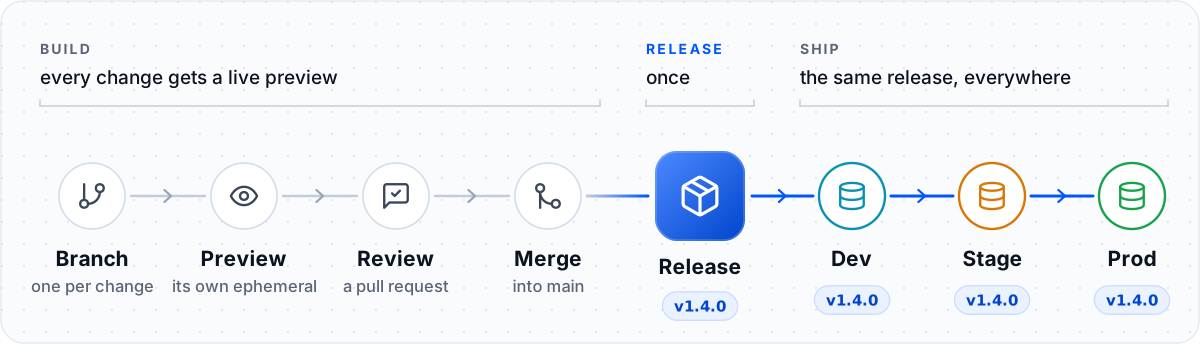
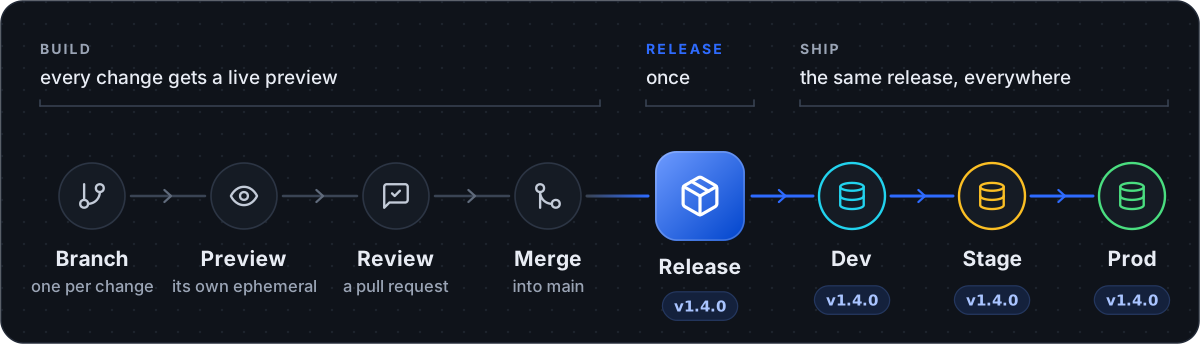
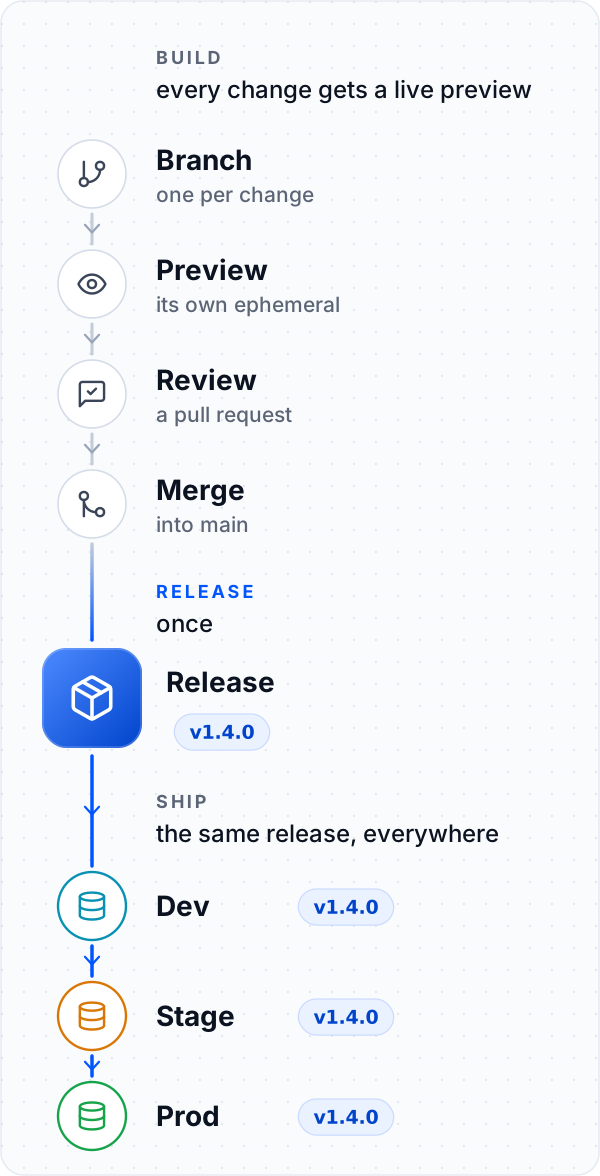
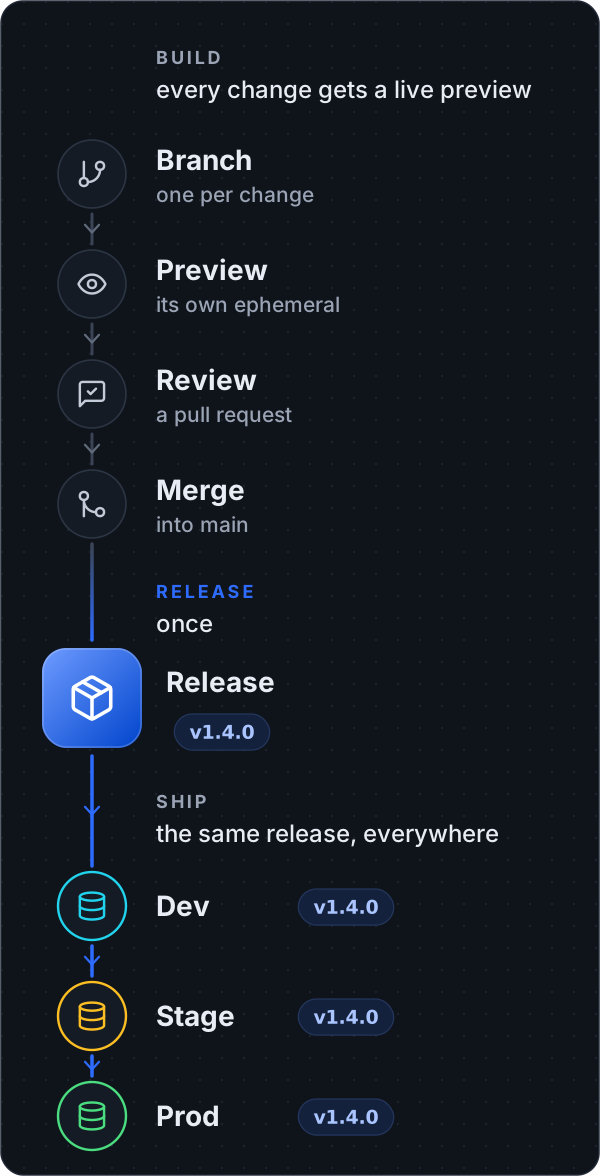
A preview for every change
Each branch gets its own live copy of your backend. Nothing you try there can touch anyone
else.
Test once, ship everywhere
A release is a saved, numbered version of your backend. The release that passed stage is
the exact one that reaches prod.
Undo in one command
Production always runs a release. To go back, ship the one before it.
main holds what
production runs or is about to run. If your team builds in the Xano builder instead, the same
flow works: see If Xano is your source of truth.
Where your backend runs
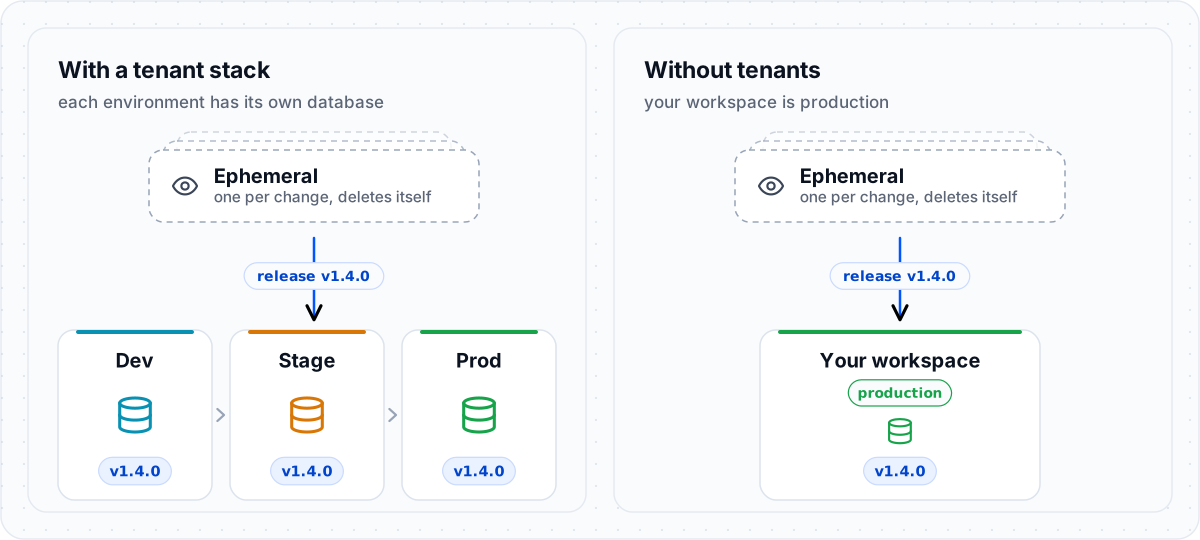
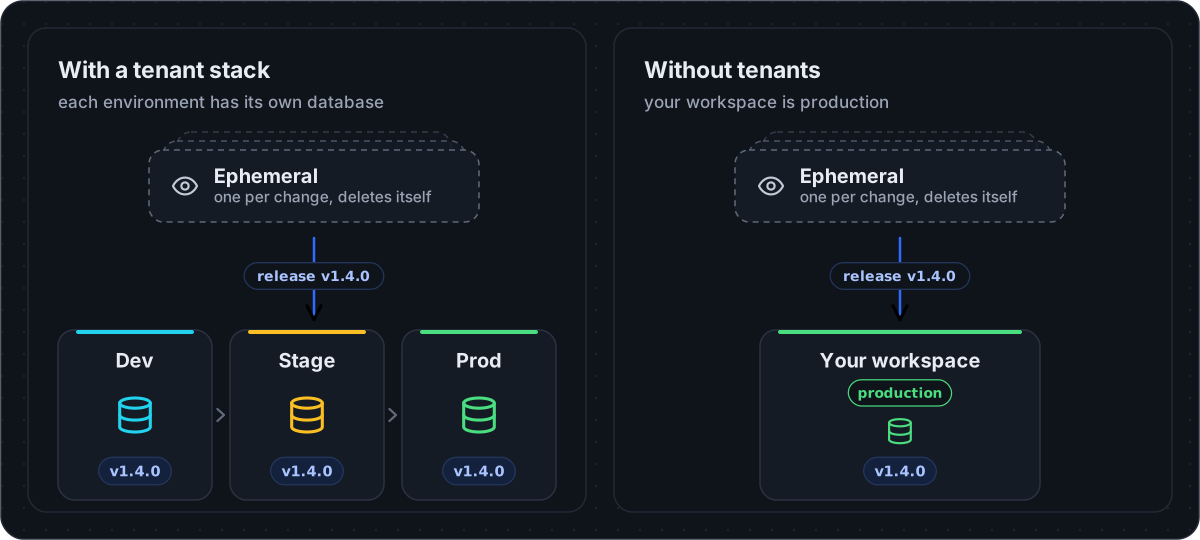
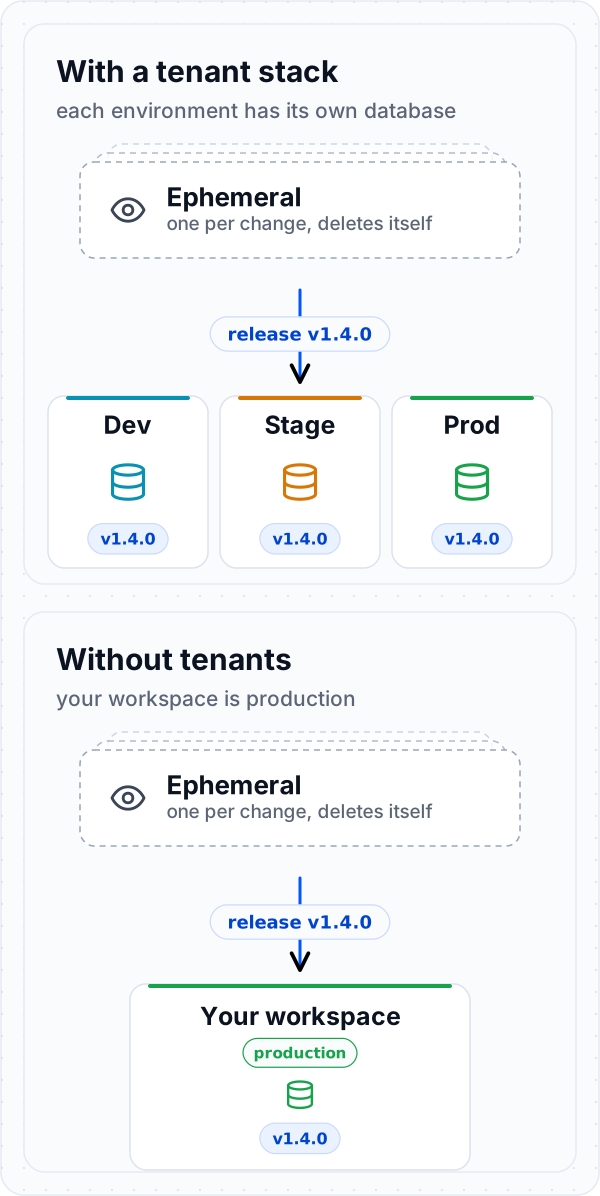
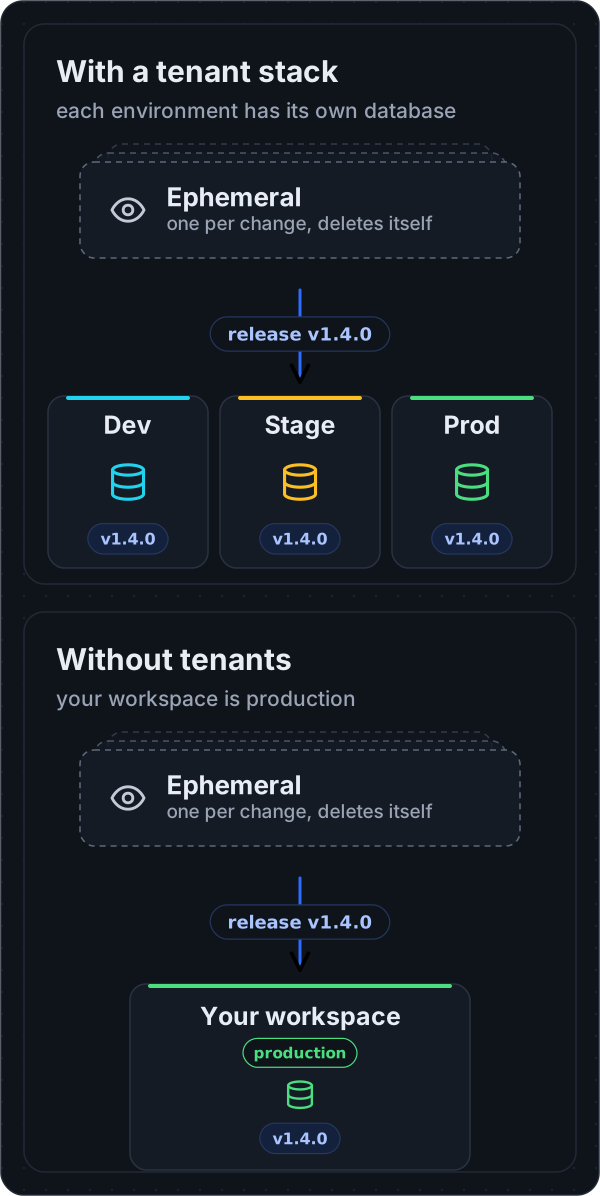
Everything below is the same with or without tenants. Only the last step changes.
Set up once
- A new project
- A workspace that already exists
main so changes only arrive through pull
requests.
Using tenants? Create them in the Xano dashboard, then give each one its own secrets. env set
reads the value from a file or a pipe, so it never appears on screen:
The workflow
1
Branch, and get a preview
deploy --ephemeral puts your branch on your own ephemeral, runs your tests, and prints the
URL. It is yours alone, so deploy to it as often as you like. (A bare deploy goes to the
Xano Engine on your machine, which nobody else can open.)2
Open a pull request
3
Merge to main
Merge once it is approved. Keep
main releasable: anything merged there can ship.4
5
Ship it
- With tenants
- With the workspace as production
xano/xano.lock. Commit the lock afterwards, so the next
deploy --to … --prune knows what this project put there.Solo or team
The steps are the same. A team adds review and approval.When something goes wrong
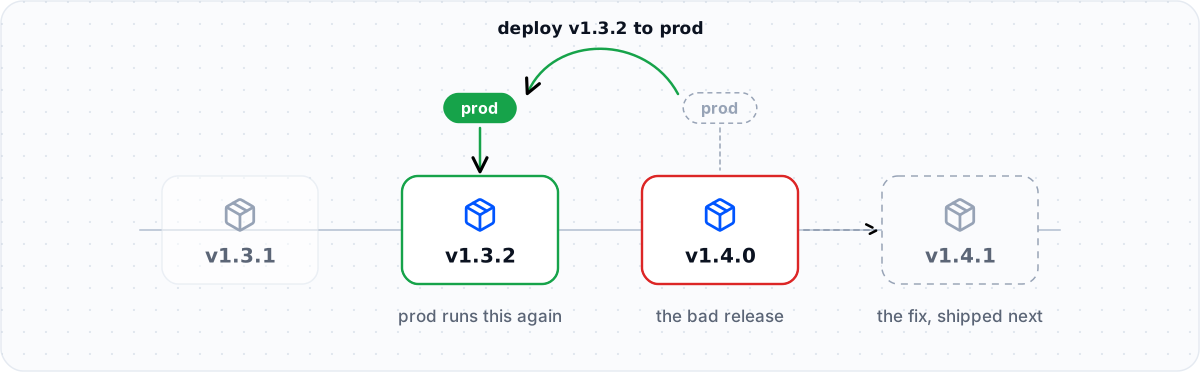
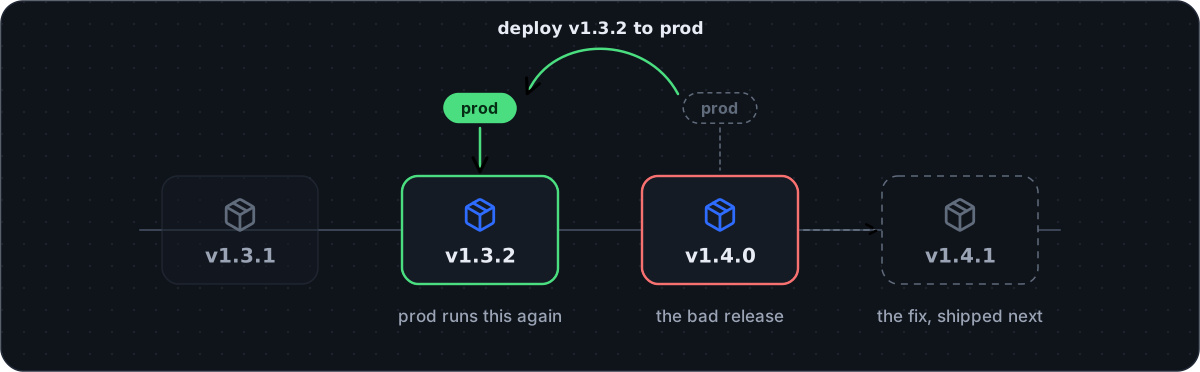
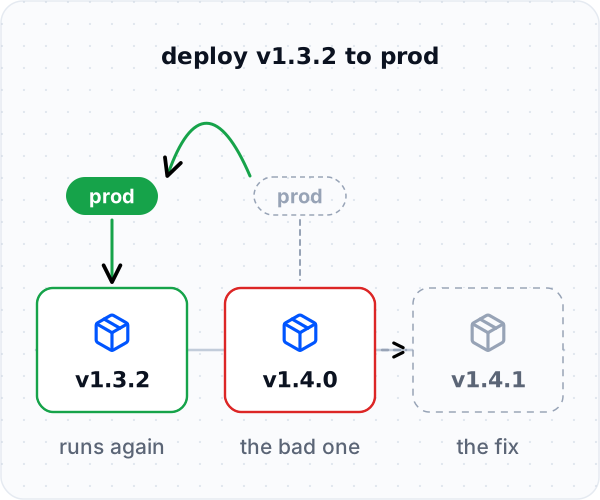
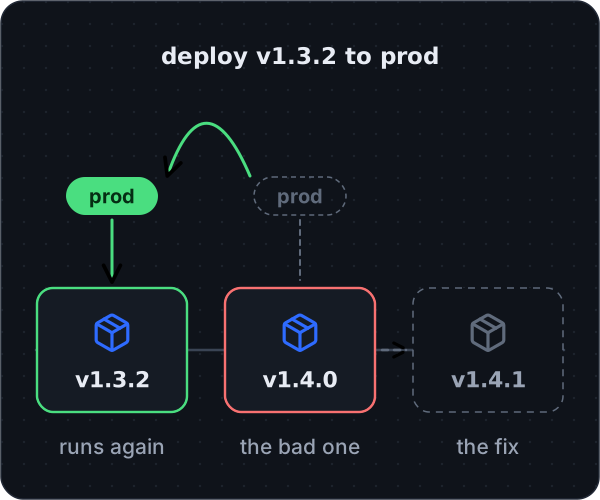
<previous branch> is the Xano branch that was live before the promote
(xanosdk workspace branch list shows them). Table changes are not rolled back by either
command: see Rollback and recovery.
Then fix the problem on main and ship v1.4.1. Until main is fixed, the next release
brings the problem back.
Hotfixes follow the same steps: branch, review, merge, release v1.4.1. This is why main
stays releasable. If it holds unfinished work, branch from the tag instead
(git switch -c hotfix v1.4.0) and merge the fix back into main afterwards.
Do not edit production by hand. A tenant deploy replaces anything edited directly. To look
around safely, open a tenant read-only with xanosdk impersonate tenant:prod --guest.
Made an emergency fix in the Xano builder? With the workspace as production, that is
sometimes the fastest option. Bring the fix into git the same day, before the next release
overwrites it, then open a pull request:
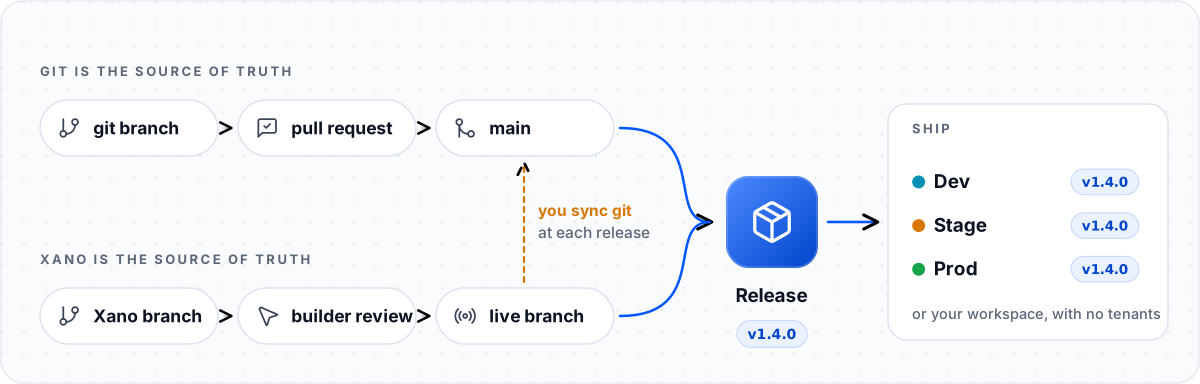
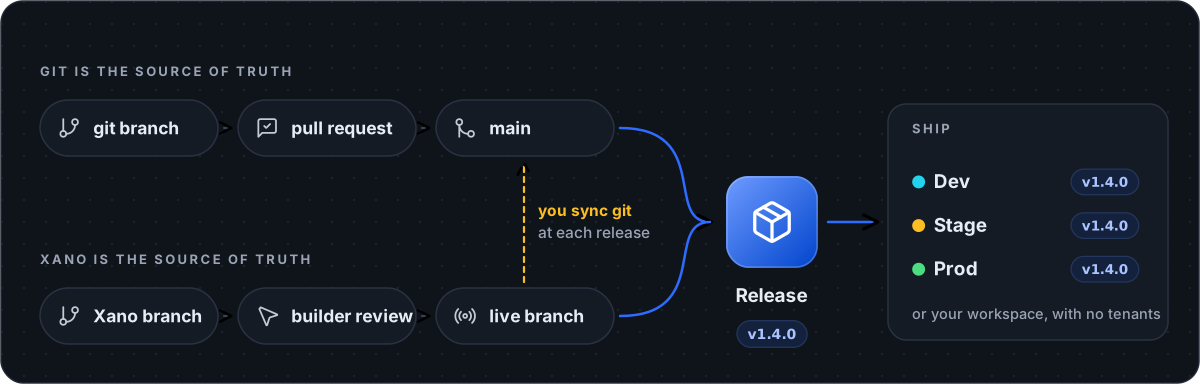
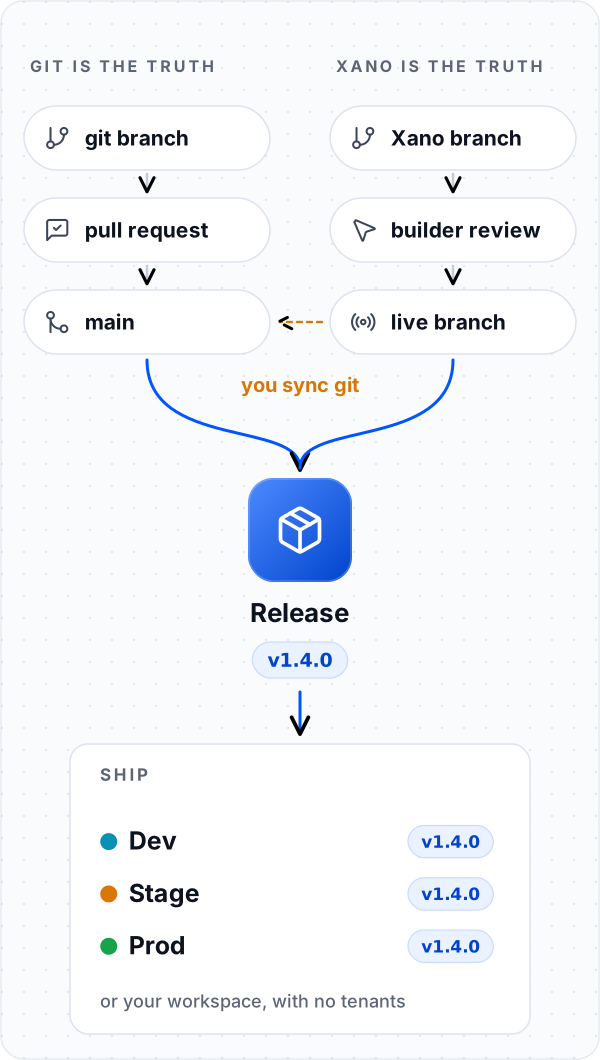
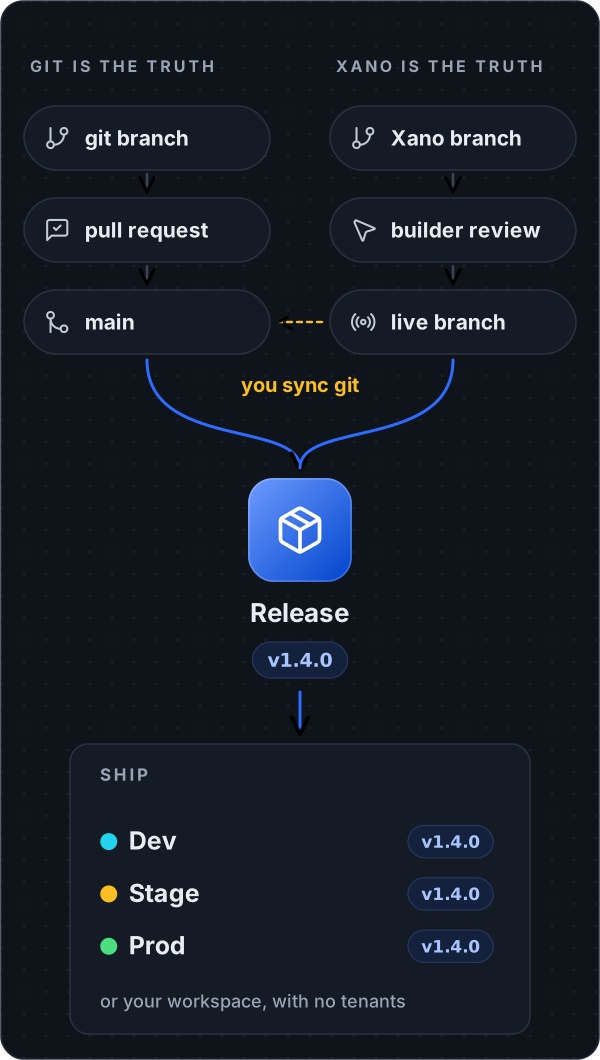
If Xano is your source of truth
Five practices keep this safe:
- Never edit the live Xano branch. Make each change on its own Xano branch and serve it once it is reviewed. Without tenants, serving it is also your production release.
- Keep Xano branches small and short-lived. There is no merge tool: if two people change the same object on different Xano branches, the one served second replaces the other’s work.
- Treat table changes with care. Every Xano branch shares the same tables, so adding or dropping a column changes the live workspace right away.
-
Sync git at every release. Git becomes your history and your backup:
-
Never push from git to the workspace. Running
promoteordeploy --to workspacefrom the repo makes git a second source of truth, and someone’s work gets overwritten. To switch to git as the source of truth later, start at Set up once.
Automate it with GitHub Actions
With this in place, every pull request gets its own preview, pushing a tag releases to dev, and one click ships to stage or prod. CI signs in with three repository secrets instead ofxanosdk login: XANO_INSTANCE_URL,
XANO_WORKSPACE_ID, and XANO_META_TOKEN (see
Environment variables).
.github/workflows/xano.yml
.github/workflows/xano.yml
- A failing test stops a tag from becoming a release. Delete the tag
(
git push --delete origin v1.4.0), fixmain, and tag again. - A forgotten
xano/xano.lockfails the run before anything lands. On a pull request,npm run xano:checkstops the preview before it deploys. It runsxanosdk export ./xano/index.ts --check --strict, which implies--frozen-lockand needs no secrets. On a tag, the release deploy passes--frozen-lockitself. - The landing comes back as a pull request. A tenant deploy or promote records what it
landed in
xano/xano.lock, in CI’s checkout. The last step of each landing job opens a pull request with that change; merge it like any other. It needs “Allow GitHub Actions to create and approve pull requests” turned on in the repository’s Actions settings. - Never re-run a step that exited 9. Exit 9 means the write was sent and the answer was
lost, so it may have landed. A retried
release createcan leave a second release under a suffixed name. Run theresolveWithcommand the step printed, or check withxanosdk release listandxanosdk tenant get <tenant>, before anything else. See Exit codes and outcomes. - No tenants? In
release, drop the two lines that ship to dev. Inship, runnpx xanosdk promote "$RELEASE" --set-live --yesand publish--to workspace. A release that alters a table is refused (exit 2,SDK_SHARED_SCHEMA_CHANGE) until you add--allow-shared-schema-changes; read Schema changes before you put that flag in a workflow.
The rules
- One source of truth. Git by default, Xano if your team builds there, never both.
- Every change gets a branch and a preview.
- Only releases reach production, and the same release goes everywhere. Environments differ by their secrets, never by their code.
- Roll back by shipping the previous release. Back up first when a release changes a table.
- Commit
xano/xano.lock. Never commit secrets.
Where to go next
Git, locks & merges
What to commit, resolving a
xano.lock conflict, renames, and the review checklist.Releases
The details underneath: cutting, listing, and landing releases, and Xano branches.